
HP ProLiant DL385 Generation 2 Server Maintenance and Service Guide

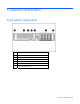

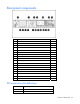
Table Of Contents
- HP ProLiant DL385 Generation 2 Server Maintenance and Service Guide
- Notice
- Contents
- Customer self repair
- Illustrated parts catalog
- Removal and replacement procedures
- Required tools
- Safety considerations
- Preparation procedures
- Access panel
- SAS hard drive blank
- Hot-plug SAS hard drive
- Power supply blank
- Hot-plug power supply
- DC power supply
- Media drive or blank
- Hot-plug fan
- Power supply cage assembly
- Battery-backed write cache procedures
- Air baffle
- Processor fan bracket
- Front bezel
- Systems Insight Display
- Fan board
- Processor fan bracket plate
- Media drive ejector assembly
- PPM
- PPM retainer
- Heatsink
- Processor
- DIMMs
- Power supply backplane
- Hard drive backplane
- Hard drive backplane retainer
- PCI riser cage
- Expansion slot covers
- Expansion slot cover retainer (slots 1 and 2)
- Expansion boards
- Battery
- System board
- I/O fan bracket
- Cabling
- Diagnostic tools
- Component identification
- Front panel components
- Front panel LEDs and buttons
- Rear panel components
- Rear panel LEDs and buttons
- System board
- Systems Insight Display LEDs
- Systems Insight Display LEDs and internal health LED combinations
- Device numbers
- SAS and SATA hard drive LEDs
- SAS and SATA hard drive LED combinations
- PCI riser cage LED
- Battery pack LEDs
- Hot-plug fans (6-fan configuration)
- Hot-plug fans (12-fan configuration)
- Fan board components
- Specifications
- Acronyms and abbreviations

Diagnostic tools 83
Diagnostic tools
Troubleshooting resources
The HP ProLiant Servers Troubleshooting Guide provides procedures for resolving common problems and
comprehensive courses of action for fault isolation and identification, error message interpretation, issue
resolution, and software maintenance on ProLiant servers and server blades. This guide includes problem-
specific flowcharts to help you navigate complex troubleshooting processes. To view the guide, select a
language:
• English (http://www.hp.com/support/ProLiant_TSG_en)
• French (http://www.hp.com/support/ProLiant_TSG_fr)
• Italian (http://www.hp.com/support/ProLiant_TSG_it)
• Spanish (http://www.hp.com/support/ProLiant_TSG_sp)
• German (http://www.hp.com/support/ProLiant_TSG_gr)
• Dutch (http://www.hp.com/support/ProLiant_TSG_nl)
• Japanese (http://www.hp.com/support/ProLiant_TSG_jp)
Automatic Server Recovery
ASR is a feature that causes the system to restart when a catastrophic operating system error occurs, such
as a blue screen, ABEND, or panic. A system fail-safe timer, the ASR timer, starts when the System
Management driver, also known as the Health Driver, is loaded. When the operating system is
functioning properly, the system periodically resets the timer. However, when the operating system fails,
the timer expires and restarts the server.
ASR increases server availability by restarting the server within a specified time after a system hang or
shutdown. At the same time, the HP SIM console notifies you by sending a message to a designated
pager number that ASR has restarted the system. You can disable ASR from the HP SIM console or
through RBSU.
HP Systems Insight Manager
HP SIM is a web-based application that allows system administrators to accomplish normal administrative
tasks from any remote location, using a web browser. HP SIM provides device management capabilities
that consolidate and integrate management data from HP and third-party devices.
IMPORTANT: You must install and use HP SIM to benefit from the Pre-Failure Warranty for
processors, SAS and SCSI hard drives, and memory modules.
For additional information, refer to the Management CD in the HP ProLiant Essentials Foundation Pack or
the HP SIM website (http://www.hp.com/go/hpsim
).