
ProLiant DL 380 Maintenance and Service Guide



2-20 Compaq ProLiant DL380 Maintenance and Service Guide
Hot-Plug Drive Cage
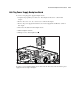
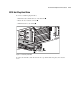
To remove the hot-plug drive cage:
1. Complete the preparation procedures. See “Powering Down the Server” earlier in this
chapter.
2. Remove the drives from the drive cage. See “SCSI Hot-Plug Hard Drive” earlier in this
chapter.
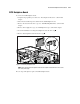
3. Disconnect the SCSI and power cables from the SCSI backplane board.
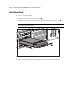
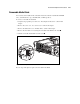
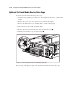
4. Remove the three Torx T-15 screws securing the drive cage to the chassis .
5. Pull the drive cage back, then up to remove it from the server .
1
2
Figure 2-13. Removing a hot-plug drive cage
Reverse steps 1 through 5 to replace the hot-plug drive cage.