
ProLiant DL 380 Maintenance and Service Guide



2-18 Compaq ProLiant DL380 Maintenance and Service Guide
Hard Drive Blank
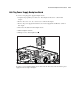
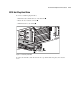
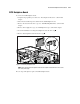
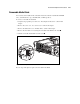
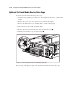
To remove a hard drive blank:
1. Push the tab to unlock the hard drive blank .
2. Continue to press on the tab and slide the hard drive blank out of the drive cage .
IMPORTANT: A hard drive blank must be installed in an unused drive slot. Failure to install a hard drive
blank could result in thermal failures.
1
2
Figure 2-11. Removing a hard drive blank
To replace a hard drive blank, slide the blank into the cage until it clicks into place.