
ProLiant DL 380 Maintenance and Service Guide


Removal and Replacement Procedures 2-5
CAUTION: Electrostatic discharge can damage electronic components. Be sure you are
properly grounded before beginning any installation procedure. For more information, see
“Electrostatic Discharge Information” earlier in this chapter.
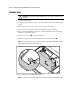
1. Press the Power On/Standby switch to Standby. This places the server in standby mode,
thereby disabling the main hot-plug power supply output and providing auxiliary power to
the server. Standby does not completely disable or remove power from the system.
2. Verify that the system LED indicator on the front panel, near the Power On/Standby
switch, is amber and that the fan noise has stopped.
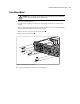
3. Disconnect the AC power cord from the AC outlet, then from the server.
4. Disconnect all external peripheral devices from the server.
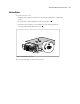
5. For stability and safety, properly positioning the server is critical.