
ProLiant DL 380 Maintenance and Service Guide
3-50 Compaq ProLiant DL380 Maintenance and Service Guide
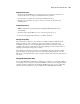
You can also configure ASR-2 to page an administrator when the system restarts. ASR-2
depends on the application and driver that routinely notify the ASR-2 hardware of proper
system operations. If the time between ASR-2 notifications exceeds the specified period, ASR-2
assumes a fault has occurred and initiates the recovery process.
To configure ASR-2:
1. Run the System Configuration Utility.
2. Select View and Edit Details.
3. Set the software error recovery status to Enabled.
4. Set the software error recovery timeout.
The available recovery features are:
■ Software Error Recovery—can be set to automatically restart the server after a
software-induced server failure.
■ Environmental Recovery—can be set to allow the server to restart when temperature,
fan, or AC power conditions return to normal.
Unattended Recovery
For unattended recovery, ASR-2 performs the following actions:
■ Logs the error information to the IML
■ Resets the server
■ Pages you (if a modem is present and you selected Paging)
■ Tries to restart the operating system
Often the server restarts successfully, making unattended recovery the ideal choice for remote
locations where trained service personnel are not immediately available.
If ASR-2 cannot restart the server within 10 attempts, it places a critical error in the Integrated
Management Log, starts the server into Compaq Utilities, and enables remote access (if you
configured remote access).
To use this level of ASR-2, you must configure ASR-2 to load the operating system after restart.