
Compaq ProLiant DL380 Setup and Installation Guide

Installing the ProLiant DL380 Server
2-35
Compaq Confidential – Need to Know Required
Writer:
Gilbert Saldivar
Project:
Compaq ProLiant DL380 Setup and Installation Guide
Comments:
Part Number:
120133-002
File Name:
c-ch02 Server Installation Overview.doc
Last Saved On:
12/10/99 1:04 PM
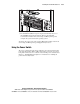
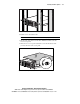
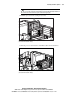
Figure 2-30 Inserting the CD into the CD-ROM drive
3.
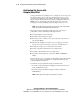
The SmartStart installation sequence begins automatically and you see
the CD-ROM activity indicator light up. Refer to the SmartStart
documentation included in the Server Setup and Management pack to
configure the system and load the operating system.
To manage the system, refer to the Compaq Management CD provided in the
Server Setup and Management pack shipped with your server.
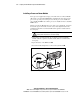
Using the Power Switch
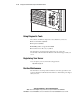
The server is shipped from the factory with the power switch security feature
in the unlocked position. When enabled, this feature protects the server from
being shut down because of accidental contact with the power switch. Refer to
Chapter 3, “Installing Hardware Options” for instructions on enabling the
power switch security feature.