
Compaq ProLiant DL380 Setup and Installation Guide

Installing the ProLiant DL380 Server
2-33
Compaq Confidential – Need to Know Required
Writer:
Gilbert Saldivar
Project:
Compaq ProLiant DL380 Setup and Installation Guide
Comments:
Part Number:
120133-002
File Name:
c-ch02 Server Installation Overview.doc
Last Saved On:
12/10/99 1:04 PM
Powering Up the Server
After the cables have been connected to the server, you are ready to power on
the ProLiant DL380 server.
WARNING:
To reduce the risk of electric shock or damage to the equipment:
■
Do not disable the power cord grounding plug. The grounding plug is an
important safety feature.
■
Plug the power cord into a grounded (earthed) electrical outlet that is
easily accessible at all times.
■
To disconnect power to the equipment, unplug the power cord from each
power supply.
IMPORTANT:
Do not place anything on power cords or cables. Arrange them so that no
one may accidentally step on or trip over them. Do not pull on a cord or cable. When
unplugging the cord from the electrical outlet, grasp the cord by the plug.
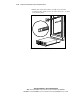
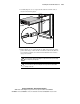
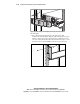
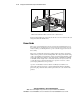
To power on the server, press the On/Standby power switch.
Figure 2-29. Turning on power to server
The server is now ready to be configured with the SmartStart and Support
Software CD.