
Compaq ProLiant DL380 Setup and Installation Guide

2-32
Compaq ProLiant DL380 Setup and Installation Guide
Compaq Confidential – Need to Know Required
Writer:
Gilbert Saldivar
Project:
Compaq ProLiant DL380 Setup and Installation Guide
Comments:
Part Number:
120133-002
File Name:
c-ch02 Server Installation Overview.doc
Last Saved On:
12/10/99 1:04 PM
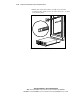
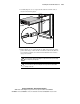
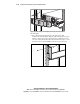
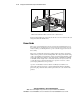
Figure 2-28. Securing cables to the cable management arm
4.
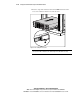
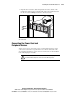
Extend the bundled cables down the rack’s cable channel.
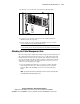
Before loading additional components, be sure the server is secured to the rack
using the front bezel thumbscrews.
Power Cords
The power cord set included in your server meets the requirements for use in
the country where you purchased your server. If you need to use this server in
another country, you should purchase a power cord that is approved for use in
that country.
The power cord must be rated for the product and for the voltage and current
marked on the product’s electrical ratings label. The voltage and current rating
of the cord should be greater than the voltage and current rating marked on the
product. In addition, the diameter of the wire must be a minimum of 1.00 mm
2
,
or 18AWG, and the length of the cord must be between 6 ft (1.8 m) and 12 ft
(3.6 m). If you have questions about the type of power cord to use, contact
your Compaq authorized service provider.
A power cord should be routed so that it is not likely to be walked on or
pinched by items placed upon it or against it. Particular attention should be
paid to the plug, electrical outlet, and the point where the cord exits from the
product.