
Compaq ProLiant DL380 Setup and Installation Guide
6-18
Compaq ProLiant DL380 Setup and Installation Guide
Compaq Confidential – Need to Know Required
Writer:
Gilbert Saldivar
Project:
Compaq ProLiant DL380 Setup and Installation Guide
Comments:
Part Number:
120133-002
File Name:
g-ch06 Server Configuration and Utilities.doc
Last Saved On:
12/10/99 1:14 PM
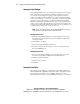
Manual Installation
1.
Insert the Compaq SmartStart and Support Software CD into the drive.
2.
Boot your system.
3.
Select Manual Installation.
4.
Follow the instructions that display on the monitor.
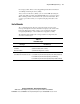
Diagnostics and Other Utilities
■
When you select the Diagnostics and Utilities feature from the System
Configuration Utility main menu, the utility provides prompts to test,
inspect, upgrade, and diagnose the server.
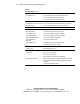
■
Diagnostics and Utilities are located on the system partition on the hard
drive and must be accessed when a system configuration error is
detected during the Power-On Self-Test (POST).
■
Run the Inspect Utility after the computer has been configured to obtain
information about the operating system environment.
■
For instructions on using the Diagnostics Utility and other Compaq
utilities, refer to the online section on Diagnostics Tools.