
Compaq ProLiant DL380 Setup and Installation Guide

Cabling Guidelines
5-5
Compaq Confidential – Need to Know Required
Writer:
Gilbert Saldivar
Project:
Compaq ProLiant DL380 Setup and Installation Guide
Comments:
Part Number:
120133-002
File Name:
f-ch05 Cabling Guidelines.doc
Last Saved On:
12/10/99 1:12 PM
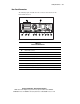
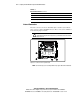
Table 5-2
Important Connectors
Number Connector
1
CD-ROM connector
2
Diskette drive connector
3
Port 2 SCSI connector, connect to the hot-plug drive cage
4
Port 1 SCSI connector, connects to the removable media bay for SCSI
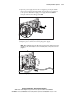
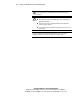
NOTE:
If you are connecting an external SCSI device through the external SCSI connector
on the rear of the server you must disconnect the cable from port 1.
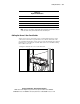
Cabling the Server’s Rear Panel Cables
You are now ready to connect the power cord and peripheral devices to the
connectors located on the rear panel of the server. Icons on the back of the
server identify the function of each connector. Use the following procedure for
instructions on connecting the external cables to the server and then securing
those cables to the rack.
1.
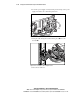
Plug the cables into the server as shown below.
Figure 5-3. Cabling the server’s rear panel cables