
Compaq ProLiant DL380 Setup and Installation Guide
Compaq Confidential – Need to Know Required
Writer:
Gilbert Saldivar
Project:
Compaq ProLiant DL380 Setup and Installation Guide
Comments:
Part Number:
120133-002
File Name:
f-ch05 Cabling Guidelines.doc
Last Saved On:
12/10/99 1:12 PM
Chapter
5
Cabling Guidelines
This chapter is intended to help you set up your server and drive cage options
for optimal performance. Use this chapter along with the technical information
on the Quick Hardware Installation Poster and the labels found on the inside of
the server access panel for complete and comprehensive information. This
chapter also identifies the cables you need and shows how to use and connect
them.
Connecting the Power Cord and
Peripheral Devices
After all internal options have been installed and the server access panel has
been replaced, connect the power cord and peripheral devices such as the
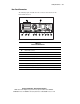
keyboard, mouse, and monitor. Icons on the back of the server identify the
function of each connector. Connecting the cabling for options is discussed in
detail later in this chapter.