
Compaq ProLiant DL380 Setup and Installation Guide

Installing Hardware Options
3-33
Compaq Confidential – Need to Know Required
Writer:
Gilbert Saldivar
Project:
Compaq ProLiant DL380 Setup and Installation Guide
Comments:
Part Number:
120133-002
File Name:
d-ch03 Installing Hardware Options.doc
Last Saved On:
12/10/99 1:11 PM
Accessing Hot-Plug Areas
This section describes accessing the following areas:
■
Hot-plug Wide Ultra2 SCSI drives
■
Hot-plug power supplies
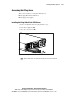
Installing Hot-Plug Wide Ultra2 SCSI Drives
1.
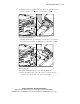
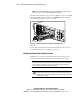
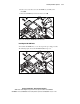
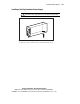
Remove the blank from the hot-plug hard drive cage.
2.
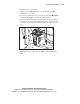
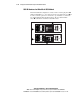
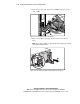
Insert the hot-plug drive 1.
3.
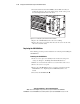
Close the connector lever 2.
Figure 3-36. Installing a Wide Ultra2 SCSI drive
NOTE:
Push the drive into the slot, then push the drive lever in to lock the drive into
place.