
HP ProLiant DL380 G6 Server User Guide
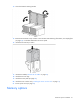
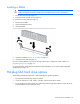
Table Of Contents
- HP ProLiant DL380 G6 Server User Guide
- Abstract
- Notice
- Contents
- Component identification
- Front panel components
- Front panel LEDs and buttons
- Systems Insight Display LEDs
- Systems Insight Display LED combinations
- Rear panel components
- Rear panel LEDs and buttons
- Non-hot-plug PCI riser board slot definitions
- System board components
- SAS and SATA device numbers
- SAS and SATA hard drive LEDs
- SAS and SATA hard drive LED combinations
- PCI riser cage LEDs
- Battery pack LEDs
- Hot-plug fans
- Operations
- Setup
- Hardware options installation
- Introduction
- Processor option
- Memory options
- Hot-plug SAS hard drive options
- Optical drive option
- Redundant hot-plug power supply option
- Expansion board options
- PCI riser board option
- Hard drive cage option
- HP Trusted Platform Module option
- Cabling
- Configuration and utilities
- Troubleshooting
- Battery replacement
- Regulatory compliance notices
- Regulatory compliance identification numbers
- Federal Communications Commission notice
- Declaration of conformity for products marked with the FCC logo, United States only
- Modifications
- Cables
- Canadian notice (Avis Canadien)
- European Union regulatory notice
- Disposal of waste equipment by users in private households in the European Union
- Japanese notice
- BSMI notice
- Korean notice
- Chinese notice
- Laser compliance
- Battery replacement notice
- Taiwan battery recycling notice
- Power cord statement for Japan
- Electrostatic discharge
- Specifications
- Technical support
- Acronyms and abbreviations
- Index
Hardware options installation 48
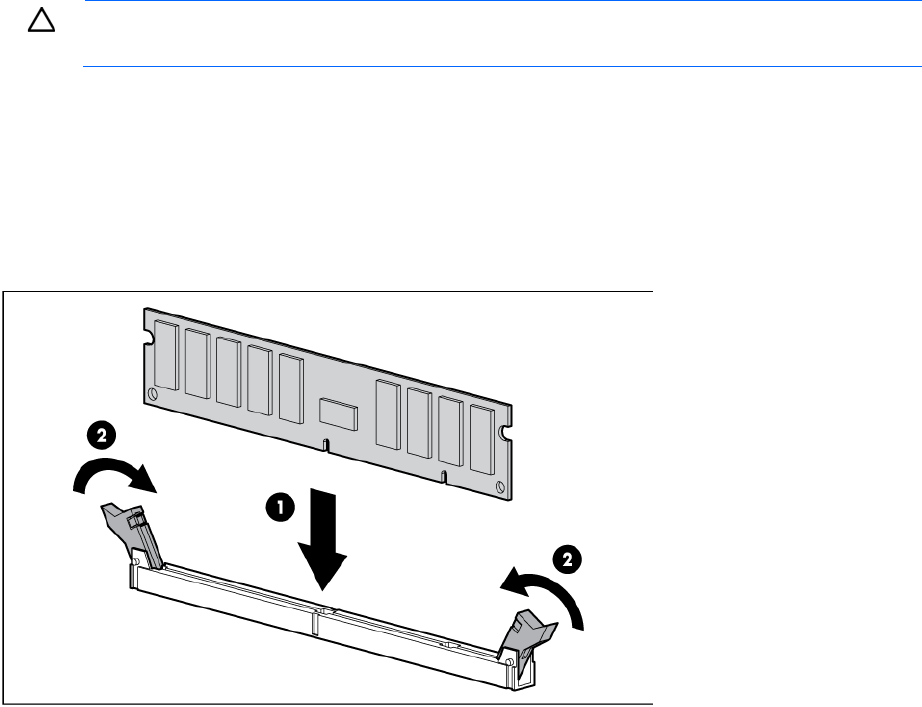
Installing a DIMM
CAUTION: To avoid damage to the hard drives, memory, and other system components, the air
baffle, drive blanks, and access panel must be installed when the server is powered up.
1. Power down the server (on page 22).
2. Extend the server from the rack (on page 22).
3. Remove the access panel (on page 23).
4. Remove the air baffle.
5. Open the DIMM slot latches.
6. Install the DIMM.
7. Install the air baffle ("Remove the air baffle" on page 27).
8. Install the access panel (on page 24).
If you are installing DIMMs in mirrored or lock-step configuration, configure this mode in RBSU ("HP
ROM-Based Setup Utility" on page 66).
For more information about LEDs and troubleshooting failed DIMMs, see "Systems Insight Display LED
combinations (on page 10)."
Hot-plug SAS hard drive options
When adding hard drives to the server, observe the following general guidelines:
• The system automatically sets all device numbers.
• If only one hard drive is used, install it in the bay with the lowest device number.
• Drives should be the same capacity to provide the greatest storage space efficiency when drives are
grouped together into the same drive array.