
HP ProLiant DL380 G6 Server User Guide


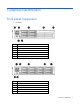
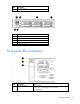
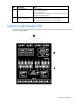
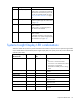
Table Of Contents
- HP ProLiant DL380 G6 Server User Guide
- Abstract
- Notice
- Contents
- Component identification
- Front panel components
- Front panel LEDs and buttons
- Systems Insight Display LEDs
- Systems Insight Display LED combinations
- Rear panel components
- Rear panel LEDs and buttons
- Non-hot-plug PCI riser board slot definitions
- System board components
- SAS and SATA device numbers
- SAS and SATA hard drive LEDs
- SAS and SATA hard drive LED combinations
- PCI riser cage LEDs
- Battery pack LEDs
- Hot-plug fans
- Operations
- Setup
- Hardware options installation
- Introduction
- Processor option
- Memory options
- Hot-plug SAS hard drive options
- Optical drive option
- Redundant hot-plug power supply option
- Expansion board options
- PCI riser board option
- Hard drive cage option
- HP Trusted Platform Module option
- Cabling
- Configuration and utilities
- Troubleshooting
- Battery replacement
- Regulatory compliance notices
- Regulatory compliance identification numbers
- Federal Communications Commission notice
- Declaration of conformity for products marked with the FCC logo, United States only
- Modifications
- Cables
- Canadian notice (Avis Canadien)
- European Union regulatory notice
- Disposal of waste equipment by users in private households in the European Union
- Japanese notice
- BSMI notice
- Korean notice
- Chinese notice
- Laser compliance
- Battery replacement notice
- Taiwan battery recycling notice
- Power cord statement for Japan
- Electrostatic discharge
- Specifications
- Technical support
- Acronyms and abbreviations
- Index
Contents 4
Hardware options installation ....................................................................................................... 35
Introduction ............................................................................................................................................ 35
Processor option ...................................................................................................................................... 35
Memory options ...................................................................................................................................... 41
Memory subsystem architecture ....................................................................................................... 42
Single-, dual-, and quad-rank DIMMs ............................................................................................... 42
DIMM identification ....................................................................................................................... 43
Memory configurations ................................................................................................................... 43
General DIMM slot population guidelines ......................................................................................... 45
Installing a DIMM .......................................................................................................................... 48
Hot-plug SAS hard drive options ............................................................................................................... 48
Installing a hot-plug SAS hard drive ................................................................................................. 49
Removing a hot-plug SAS hard drive ................................................................................................ 49
Optical drive option ................................................................................................................................ 50
Redundant hot-plug power supply option .................................................................................................... 52
Expansion board options .......................................................................................................................... 53
Removing expansion slot covers ...................................................................................................... 53
Installing a half-length expansion board ........................................................................................... 54
Installing a full-length expansion board ............................................................................................. 55
PCI riser board option .............................................................................................................................. 56
Hard drive cage option ............................................................................................................................ 57
HP Trusted Platform Module option ............................................................................................................ 60
Installing the Trusted Platform Module board ..................................................................................... 60
Retaining the recovery key/password .............................................................................................. 62
Enabling the Trusted Platform Module ............................................................................................... 62
Cabling ..................................................................................................................................... 63
SAS hard drive cabling ............................................................................................................................ 63
Optical drive cabling ............................................................................................................................... 63
BBWC battery cabling ............................................................................................................................. 64
Configuration and utilities ............................................................................................................ 65
Configuration tools .................................................................................................................................. 65
SmartStart software ........................................................................................................................ 65
HP ROM-Based Setup Utility ............................................................................................................ 66
Array Configuration Utility .............................................................................................................. 68
Option ROM Configuration for Arrays ............................................................................................. 68
Re-entering the server serial number and product ID ........................................................................... 69
Management tools ................................................................................................................................... 69
Automatic Server Recovery ............................................................................................................. 69
ROMPaq utility .............................................................................................................................. 70
Integrated Lights-Out 2 technology ................................................................................................... 70
Erase Utility .................................................................................................................................. 70
Redundant ROM support ................................................................................................................ 71
USB support and functionality ......................................................................................................... 71
Internal SD support ........................................................................................................................ 71
Diagnostic tools ...................................................................................................................................... 72
HP Insight Diagnostics .................................................................................................................... 72
HP Insight Diagnostics survey functionality ........................................................................................ 72
Integrated Management Log ........................................................................................................... 72
Remote support and analysis tools ............................................................................................................. 73
HP Insight Remote Support software ................................................................................................. 73
Keeping the system current ....................................................................................................................... 73
Drivers ......................................................................................................................................... 73