
HP ProLiant DL380 Generation 5 Server Maintenance and Service Guide

Removal and replacement procedures 68
12.
Remove all FBDIMMs ("FBDIMMs" on page 56).
13. Remove the processors.
14. Remove the PPMs ("PPM" on page 45).
15. Disconnect all cables connected to the system board.
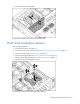
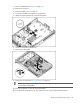
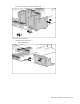
16. Identify the eight alignment keys and keyhole locations.
17. Loosen the system board thumbscrew.
18. Remove the system board.
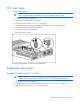
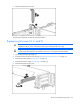
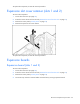
19. Remove the I/O fan bracket ("I/O fan bracket" on page 69).
IMPORTANT: If replacing the system board or clearing NVRAM, you must re-enter the server
serial number through RBSU.
To replace the component, reverse the removal procedure.
After you replace the system board, you must re-enter the server serial number and the product ID.