
HP ProLiant DL380 Generation 5 Server Maintenance and Service Guide

Removal and replacement procedures 39
2.
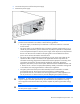
Remove the access panel ("Access panel" on page 32).
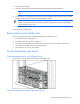
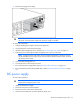
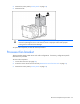
3. Remove the fan.
CAUTION: Do not operate the server for long periods with the access panel open or
removed. Operating the server in this manner results in improper airflow and improper
cooling that can lead to thermal damage.
To replace the component, reverse the removal procedure.
Processor fan bracket
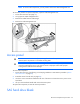
These procedures apply to both the 6- and 12-fan configurations. If necessary, configuration-specific
illustrations are provided.
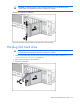
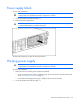
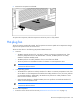
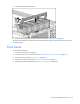
To remove the component:
1. Power down the server (on page 30).
2. Extend or remove the server from the rack ("Remove the server from the rack" on page 31).
3. Remove the access panel ("Access panel" on page 32).