
Compaq ProLiant DL380 Generation 2 Setup and Installation Guide


viii Compaq ProLiant DL380 Generation 2 Server Setup and Installation Guide
Compaq Confidential – Need to Know Required
Writer: RWeaver Project: Compaq ProLiant DL380 Generation 2 Server Setup and Installation Guide Comments:
Part Number: 203844-001 File Name: a-frnt.doc Last Saved On: 4/2/01 3:29 PM
Regulatory Compliance Notices
continued
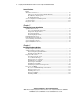
Laser Devices.......................................................................................................... A-5
Laser Safety Warnings..................................................................................... A-6
Compliance with CDRH Regulations.............................................................. A-6
Compliance with International Regulations..................................................... A-6
Laser Product Label......................................................................................... A-6
Laser Information ............................................................................................ A-7
Battery Replacement Notice ................................................................................... A-7
Power Cords............................................................................................................ A-8
Mouse Compliance Statement................................................................................. A-8
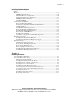
Appendix B
Electrostatic Discharge
Preventing Electrostatic Damage .............................................................................B-1
Grounding Methods .................................................................................................B-2
Appendix C
Server Error Messages
Appendix D
Troubleshooting
When the Server Does Not Start ............................................................................. D-3
Diagnostic Steps...................................................................................................... D-5
Problems After Initial Boot................................................................................... D-11
ROMPaq Disaster Recovery ................................................................................. D-13
Other Information Resources ................................................................................ D-13
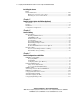
Appendix E
LED Indicators and Switches
LEDs ........................................................................................................................E-1
Front Panel LEDs..............................................................................................E-2
Hot-Plug SCSI Hard Drive LEDs .....................................................................E-3
PCI Riser Cage LEDs .......................................................................................E-6
PCI Hot Plug LEDs...........................................................................................E-7
RJ-45 Network Connector LEDs ......................................................................E-8
Rear Unit Identification LED Switch................................................................E-9
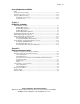
Hot-Plug Power Supply LED..........................................................................E-10
Hot-Plug Fan LEDs ........................................................................................E-11
Power Converter Module LED .......................................................................E-12
System Board LEDs........................................................................................E-12
System LEDs and Internal Health LED Status Combinations ........................E-14