
Compaq ProLiant DL380 Generation 2 Setup and Installation Guide



3-40 Compaq ProLiant DL380 Generation 2 Server Setup and Installation Guide
Compaq Confidential – Need to Know Required
Writer: Rob Weaver Project: Compaq ProLiant DL380 Generation 2 Server Setup and Installation Guide Comments:
Part Number: 203844-001 File Name: d-ch3 Installing Hardware Options.doc Last Saved On: 4/5/01 1:55 PM
Removing Expansion Slot Covers
CAUTION: Do not remove expansion slot covers unless you are installing an
expansion card. Operating the server without an expansion card or an expansion
slot cover installed results in improper airflow and improper cooling which can
lead to thermal damage.
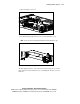
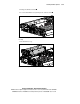
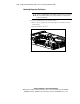
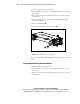
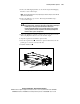
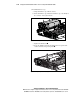
To remove expansion slot covers for slots 2 and 3:
1. Remove the access panel. See the “Removing the Access Panel” section
in this chapter.
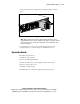
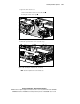
2. Open the PCI riser cage door.
Figure 3-38. Opening the PCI riser cage door