
Compaq ProLiant DL380 Generation 2 Setup and Installation Guide


Contents vii
Compaq Confidential – Need to Know Required
Writer: RWeaver Project: Compaq ProLiant DL380 Generation 2 Server Setup and Installation Guide Comments:
Part Number: 203844-001 File Name: a-frnt.doc Last Saved On: 4/2/01 3:29 PM
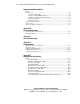
Server Configuration and Utilities
continued
Compaq Diagnostics Utility................................................................................... 7-14
Automatic Server Recovery-2 ............................................................................... 7-14
Integrated Management Log.................................................................................. 7-15
Identifying Severity Levels............................................................................. 7-15
Viewing the Log ............................................................................................. 7-15
Chapter 8
PCI Hot Plug Technology
PCI Hot Plug Technology........................................................................................ 8-2
PCI Hot Plug System........................................................................................ 8-2
PCI Hot Plug Application................................................................................. 8-2
PCI Hot Plug Feature........................................................................................ 8-3
PCI Hot Plug LEDs and Button........................................................................ 8-3
Installing Hot-Plug Expansion Boards..................................................................... 8-8
PCI Hot Plug Application Support ........................................................................ 8-11
PCI Hot Plug Utility for Windows NT .................................................................. 8-11
Performing Hot-Plug Actions ......................................................................... 8-12
Compaq PCI Hot Plug Utility Messages ........................................................ 8-13
Novell NetWare Configuration Manager Console................................................. 8-14
Navigating NCMCON Menus ........................................................................ 8-14
Performing Hot-Plug Actions ......................................................................... 8-14
Novell NetWare Operating System Messages................................................ 8-17
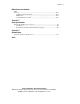
Appendix A
Regulatory Compliance Notices
Regulatory Compliance Identification Numbers .....................................................A-1
Federal Communications Commission Notice ........................................................A-1
Class A Equipment ...........................................................................................A-2
Class B Equipment ...........................................................................................A-2
Declaration of Conformity for Products Marked with the FCC Logo –
United States Only............................................................................................A-3
Modifications....................................................................................................A-3
Cables ...............................................................................................................A-3
Canadian Notice (Avis Canadien) ...........................................................................A-4
Class A Equipment ...........................................................................................A-4
Class B Equipment ...........................................................................................A-4
European Union Notice ...........................................................................................A-4
Japanese Notice .......................................................................................................A-5
Taiwanese Notice.....................................................................................................A-5