
Compaq ProLiant DL380 Generation 2 Setup and Installation Guide


Installing Hardware Options 3-31
Compaq Confidential – Need to Know Required
Writer: Rob Weaver Project: Compaq ProLiant DL380 Generation 2 Server Setup and Installation Guide Comments:
Part Number: 203844-001 File Name: d-ch3 Installing Hardware Options.doc Last Saved On: 4/5/01 1:55 PM
Hot-Plug Components
The ProLiant DL380 Generation 2 server supports hot-plug installation of fans
and power supplies. The following sections contain installation procedures for
these components.
Installing a Redundant Hot-Plug Fan
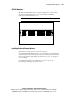
The server supports redundant hot-plug fans to provide proper airflow to the
system if a primary fan fails. The ProLiant DL380 Generation 2 server airflow
is divided into three zones: CPU, I/O, and power supply.
Standard Configuration
In the standard configuration, five fans cool the system: three fans in the CPU
zone, one fan in the I/O zone, and one fan in the power supply zone. If any one
of these fans fails, the system shuts down.
Redundant Configuration
For the redundant configuration, you can install up to three additional fans
(one fan per zone) to cool the system. If only one fan fails per zone, the system
continues to operate, meaning that up to three fans could fail, if they are in
different zones. However, if more than one fan fails per zone, the system shuts
down.