
Compaq ProLiant DL380 Generation 2 Setup and Installation Guide


3-14 Compaq ProLiant DL380 Generation 2 Server Setup and Installation Guide
Compaq Confidential – Need to Know Required
Writer: Rob Weaver Project: Compaq ProLiant DL380 Generation 2 Server Setup and Installation Guide Comments:
Part Number: 203844-001 File Name: d-ch3 Installing Hardware Options.doc Last Saved On: 4/5/01 1:55 PM
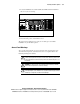
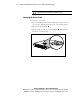
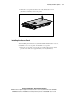
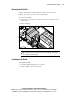
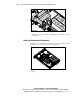
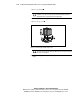
7. Remove the heatsink .
CAUTION: Discard the heatsink after you remove it from the processor. The
heatsink is for one-time use only; after use, the thermal interface material is
degraded and does not provide proper thermal dissipation.
8. Lift the locking lever on the processor socket .
9. Remove the processor .
1
2
3
Figure 3-12. Removing the heatsink and processor
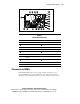
CAUTION: Processor socket 1 must be populated with a processor at all times.
The system fails to boot, halts during the POST, and does not function properly if
the socket is not populated.
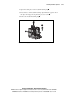
10. Install the new processor. See the “Installing a Processor” section in this
chapter.