
Compaq ProLiant DL380 Generation 2 Setup and Installation Guide


Contents v
Compaq Confidential – Need to Know Required
Writer: RWeaver Project: Compaq ProLiant DL380 Generation 2 Server Setup and Installation Guide Comments:
Part Number: 203844-001 File Name: a-frnt.doc Last Saved On: 4/2/01 3:29 PM
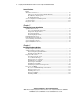
Installing Hardware Options
continued
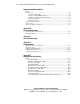
Memory ................................................................................................................. 3-19
DIMM Slot Identification............................................................................... 3-20
Maximum Memory Configuration ................................................................. 3-20
Online Spare Memory Configuration ............................................................. 3-21
DIMM Installation Guidelines........................................................................ 3-21
Installing DIMMs ........................................................................................... 3-22
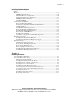
System Drives and Blanks ..................................................................................... 3-23
Removing Hard Drive Blanks ........................................................................ 3-23
Guidelines for Installing Hot-Plug SCSI Hard Drives.................................... 3-24
SCSI ID Numbers........................................................................................... 3-25
Installing External Storage Devices................................................................ 3-25
Removing Hot-Plug SCSI Hard Drives.......................................................... 3-26
Installing Hot-Plug SCSI Hard Drives............................................................ 3-27
Removing the CD-ROM Drive....................................................................... 3-28
Installing the CD Blank .................................................................................. 3-28
Installing a Compaq Universal Hot-Plug Tape Drive..................................... 3-29
Hot-Plug Components ........................................................................................... 3-31
Installing a Redundant Hot-Plug Fan.............................................................. 3-31
Installing a Redundant Hot-Plug Power Supply ............................................. 3-33
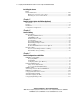
Expansion Boards .................................................................................................. 3-35
Identifying the Expansion Slots...................................................................... 3-36
Removing the PCI Shipping Bracket.............................................................. 3-36
Removing the PCI Riser Cage........................................................................ 3-38
Removing Expansion Slot Covers.................................................................. 3-40
Installing Non-Hot-Plug Expansion Boards ................................................... 3-42
Installing Hot-Plug Expansion Boards ........................................................... 3-45
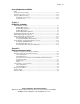
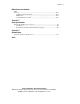
Chapter 4
Installing the Server
Server Installation Guidelines.................................................................................. 4-1
Server Installation Procedures ................................................................................. 4-2
Measuring with the Template ........................................................................... 4-2
Installing Standard Rails into the Rack............................................................. 4-5
Installing the Server Rails on the Chassis......................................................... 4-8
Inserting the Server into the Rack .................................................................... 4-8
Installing the Cable Management Arm........................................................... 4-11
Connecting the Power Cord and Peripheral Devices...................................... 4-14
Securing the Cables to the Cable Management Arm ...................................... 4-17
Powering Up the Server.................................................................................. 4-18
Installing an Operating System....................................................................... 4-18
Registering Your Server ................................................................................. 4-19