
Compaq ProLiant DL380 Generation 2 Setup and Installation Guide


Installing Hardware Options 3-7
Compaq Confidential – Need to Know Required
Writer: Rob Weaver Project: Compaq ProLiant DL380 Generation 2 Server Setup and Installation Guide Comments:
Part Number: 203844-001 File Name: d-ch3 Installing Hardware Options.doc Last Saved On: 4/5/01 1:55 PM
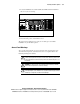
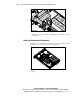
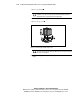
4. Slide the access panel toward the rear of the unit about 1.25 cm
(0.5 inches) and lift to remove the panel.
Figure 3-4. Removing the access panel
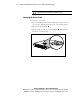
Installing the Access Panel
After installing new hardware in your ProLiant DL380 Generation 2 server,
reinstall the server access panel. To install the access panel:
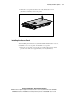
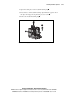
1. Place the access panel on top of the server. Allow the panel to extend
past the rear of the server approximately 1.25 cm (0.5 inches).