
Compaq ProLiant DL380 Generation 2 Setup and Installation Guide




E-14 Compaq ProLiant DL380 Generation 2 Server Setup and Installation Guide
Compaq Confidential – Need to Know Required
Writer: Rob Weaver Project: Compaq ProLiant DL380 Generation 2 Server Setup and Installation Guide Comments:
Part Number: 203844-001 File Name: n-appe LED Indicators and Switches.doc Last Saved On: 4/5/01 2:11 PM
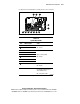
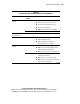
Table E-6
System Board LEDs
continued
Item LED Description Status
PPM 1 failure Amber = PPM failed
Off = Normal
Riser/SCSI interlock
failure *
Amber = PCI riser or Smart Array 5i
Controller not seated
Off = Normal
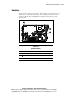
Note: * When the SCSI interlock disable switch is set to default (off), the
riser/SCSI interlock failure LED indicates that the PCI riser or the Smart
Array 5i Controller is unseated. If the default setting is changed (on), the
LED indicates that only the PCI riser is unseated.
System LEDs and Internal Health LED Status
Combinations
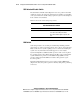
When the internal health LED on the front panel illuminates either amber or
red, the server is experiencing a health event. Combinations of illuminated
system LEDs and the internal health LED indicate system status (Table E-7).
NOTE: For the internal health LED to provide pre-failure and system conditions, the
system management driver must be installed.
The front panel health LEDs indicate only the current hardware status. In some
situations, Compaq Insight Manager XE may report server status differently
than the health LEDs because the software tracks more system attributes.