
Compaq ProLiant DL380 Generation 2 Setup and Installation Guide




LED Indicators and Switches E-13
Compaq Confidential – Need to Know Required
Writer: Rob Weaver Project: Compaq ProLiant DL380 Generation 2 Server Setup and Installation Guide Comments:
Part Number: 203844-001 File Name: n-appe LED Indicators and Switches.doc Last Saved On: 4/5/01 2:11 PM
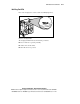
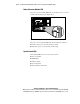
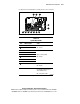
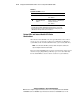
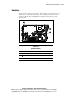
Use Figure E-10 and Table E-6 to identify their location and status.
10 11 12
345678
9
2
1
Figure E-10. System board LEDs
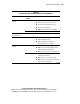
Table E-6
System Board LEDs
Item LED Description Status
Processor 1 failure
Processor 2 failure
Amber = Processor failed
Off = Normal
DIMM 6C failure
DIMM 5B failure
DIMM 4A failure
DIMM 3C failure
DIMM 2B failure
DIMM 1A failure
Amber = Memory failed
Off = Normal
PPM 2 failure Amber = PPM failed
Off = Normal
Overtemperature Amber = Temperature has
exceeded OS cautionary level or
critical hardware level
Off = Temperature is OK
continued