
Compaq ProLiant DL380 Generation 2 Setup and Installation Guide


About This Guide xiii
Compaq Confidential – Need to Know Required
Writer: RWeaver Project: Compaq ProLiant DL380 Generation 2 Server Setup and Installation Guide Comments:
Part Number: 203844-001 File Name: a-frnt.doc Last Saved On: 4/2/01 3:29 PM
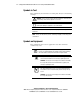
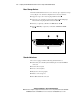
This symbol on an RJ-45 receptacle indicates a Network Interface
Connection.
WARNING: To reduce the risk of electrical shock, fire, or damage to
the equipment, do not plug telephone or telecommunications
connectors into this receptacle.
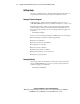
This symbol indicates the presence of a hot surface or hot component.
If this surface is contacted, the potential for injury exists.
WARNING: To reduce the risk of injury from a hot component, allow
the surface to cool before touching.
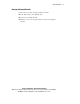
These symbols on power supplies or systems indicate the
equipment is supplied by multiple sources of power.
WARNING: To reduce the risk of injury from electrical shock,
remove all power cords to completely disconnect power from
the system.
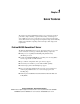
Weight kg
Weight lb
This symbol indicates that the component exceeds the
recommended weight for one individual to handle safely.
WARNING: To reduce the risk of personal injury or damage to the
equipment, observe local occupational health and safety
requirements and guidelines for manual material handling.
Important Safety Information
Before installing this product, read the Important Safety Information document
that ships with your server.