
Compaq ProLiant DL380 Generation 2 Setup and Installation Guide


6-2 Compaq ProLiant DL380 Generation 2 Server Setup and Installation Guide
Compaq Confidential – Need to Know Required
Writer: Rob Weaver Project: Compaq ProLiant DL380 Generation 2 Server Setup and Installation Guide Comments:
Part Number: 203844-001 File Name: g-ch6 Server Cabling.doc Last Saved On: 3/27/01 10:43 AM
Internal Cabling
The following sections explain internal cabling configurations for the
ProLiant DL380 Generation 2 server.
Hot-Plug SCSI Hard Drives
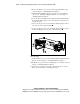
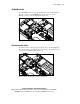
The ProLiant DL380 Generation 2 server standard configuration for internal
SCSI hard drives requires only one cable, because all SCSI hard drives
connect directly to the SCSI backplane. A short SCSI cable connects the SCSI
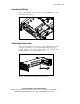
backplane to the system board at SCSI port 2 (Figure 6-1).
Figure 6-1. SCSI cable connecting SCSI backplane to SCSI port 2 (PCI riser
cage removed for clarity)