
Ultra-Dense Server Deployment in Racks

Compaq Ultra-Dense Server Deployment in Compaq Racks 75
128H-0400A-WWEN
4.5 Server Installations in a Rack
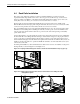
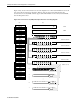
Install the ProLiant DL360 servers and other devices in the rack, starting from the bottom of the rack.
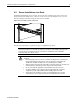
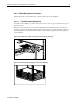
Temporarily fasten the thumbscrews on the front of each server (as shown in Figure 4-19), to prevent
them from sliding forward and causing the rack to become unstable.
Figure 4-19. Securing a server on the rack
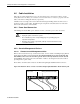
The following rack warning is repeated from page 7 to highlight its importance:
IMPORTANT: Because the rack allows you to stack computer components on a vertical rather
than horizontal plane, you must take precautions to provide for rack stability and safety and to
protect both personnel and property. Heed all cautions and warnings in the installation
instructions that came with the server.
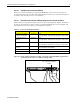
WARNING: To reduce the risk of serious personal injury, fire or damage to the
equipment:
! Before beginning work on the rack, be sure that the leveling jacks are extended to the
floor, that the full weight of the rack rests on the leveling jacks, and that either the
stabilizer kit is installed or multiple racks are coupled together for stability.
! Always load the heaviest item first, and load the rack from the bottom up. This makes the
rack “bottom-heavy” and helps prevent the rack from becoming unstable.
! Do not overload the AC supply branch circuit that provides power to the rack.
! The bottom stabilizers on the equipment must be fully installed. Be sure that the
equipment is properly supported/braced when installing options and cards.
! A rack may become unstable if more than one ProLiant DL360 servers are fully
extended for any reason. Fully extend only one ProLiant DL360 server at a time.