
ProLiant DL360 Server Maintenance and Service Guide


Diagnostics and Troubleshooting
4-60 Compaq ProLiant DL360 Server Maintenance and Service Guide
COMPAQ CONFIDENTIAL Codename: MIcroMachines Part Number: 169616-006 Last Saved On: 12/21/01 9:05 AM
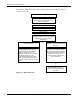
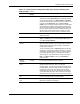
The following ASR-2 flow chart shows you the sequence of events after a hardware or
software error occurs:
Hardware/Software error occurs.
|
Error is recorded in the Integrated
Management Log, depending on the
server configuration.
|
Operating system halts normal operation.
|
ASR timer expires.
|
Server is reset.
|
If a modem is installed and paging is
enabled, the Server Failure Notification
pager alert is sent to the Server
Administrator.
|
Unattended server starts the
operating system.
---Or--- Server starts Compaq Utilities from
the Compaq system partition on the
hard drive.
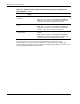
|
If the server continues experiencing
hardware/software errors and the
number of ASR cycles exceed the
specified number of recovery
attempts, the server logs an error to
the Server Health Log or the
Integrated Management Log and
starts the Compaq Utilities from the
Compaq system partition on the hard
drive.
If a modem is installed, ASR puts
the modem on autoanswer so that
the server administrator can dial in
(using third-party terminal emulator
software) to remotely run the
Compaq Utilities to identify the
source of the fault.
|
Or
|
Local Server Administrator runs
Compaq Utilities from server
console to identify the source of
the fault.
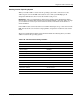
Figure 4-1. ASR-2 flow chart