
Compaq ProLiant DL360 Ultra-Dense Server Deployment in Compaq Racks

Compaq ProLiant DL360 Ultra-Dense Server Deployment in Compaq Racks 84
128H-1100B-WWEN
WARNING: To reduce the risk of serious personal injury, fire or damage to the
equipment:
• Before beginning work on the rack, be sure that the leveling jacks are extended to the
floor, that the full weight of the rack rests on the leveling jacks, and that either the
stabilizer kit is installed or multiple racks are coupled together for stability.
• Always load the heaviest item first, and load the rack from the bottom up. This makes
the rack “bottom-heavy” and helps prevent the rack from becoming unstable.
• Do not overload the AC supply branch circuit that provides power to the rack.
• The bottom stabilizers on the equipment must be fully installed. Be sure that the
equipment is properly supported/braced when installing options and cards.
• A rack may become unstable if more than one ProLiant DL360 servers are fully
extended for any reason. Fully extend only one ProLiant DL360 server at a time.
4.6 Cable Installation
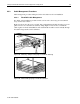
Follow the procedure detailed in the Compaq ProLiant DL360 Setup and Installation Guide or in
the Sliding Rails and Cable Management Solution for ProLiant DL360 Servers Guide to properly
secure the cables on the fixed or sliding rail cable tray, respectively.
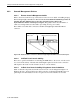
All cables need to be snugly routed on the rack frame rail using the D-Ring cable hooks. The rear
door should close easily over the cables. If additional space is required for the cables at the rear
of the rack then use the rack extension or the bustle kit.
4.6.1 Power Cord Connection
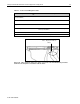
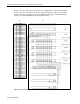
After making sure that the PDU power outlets are not live, connect the power cords to the servers.
WARNING: To reduce the risk of electric shock or damage to the equipment:
• Unplug the power cord from the system.
• Do not disable the power cord grounding plug. The grounding plug is an important
safety feature.
• Plug the power cord into a grounded (earthed) electrical outlet that is easily accessible
at all times.