
Compaq ProLiant DL360 Ultra-Dense Server Deployment in Compaq Racks

Compaq ProLiant DL360 Ultra-Dense Server Deployment in Compaq Racks 64
128H-1100B-WWEN
4.2 Rack Preparation
Most of the discussions in this section will focus around Compaq 42U racks. The rack selection
criteria and recommendations are beyond the scope of this document. A bustle or an extension kit
may be required if the installation will end up with several cables for all the ProLiant DL360
servers, for example, KVM cables described in Section 3.6 configuration.
WARNING: To reduce the risk of personal injury or damage to the equipment:
• Do not attempt to move or relocate an equipment rack populated with servers. A fully
populated rack can weigh as much as 1,800 lb (816.5 kg). The rack may become
unstable and cause serious personal injury or damage to the equipment.
• Do not install the ProLiant DL360 Servers into the rack until the rack has been located
in its final location.
• Slide rails, PDUs, power cords and cables can be pre-installed into the rack in a build-
room or on the data center floor prior to moving it to the final location.
• Prior to installing the servers, ensure that the leveling jacks are extended to the floor
and that the full weight of the rack rests on the leveling jacks. The casters are not
designed to support the full weight of a populated rack.
• Prior to installing the servers, ensure that the stabilizing kit has been installed on
stand-alone racks, or that multiple racks are coupled together.
See additional rack warnings on page 7.
4.2.1 9000-Series Rack Preparation
Compaq does not recommend rolling a 9142 or a 9136 rack on factory-mounted casters when it is
fully populated with ProLiant DL360 servers. However, if this is to be done then care must be
taken for the rack to be sturdy while pushing the racks on their casters. Make sure that the casters
originally equipped with the 9000-series racks are changed before carrying out any high-volume
deployment of ProLiant DL360 servers in a 9000-series rack. See Customer Advisory Caster
Wheels on 9000 Series Racks May Break When Moved Under Load (Document number
EX991108_CW01) for details. The replacement casters can be acquired from Compaq free of
charge.
4.2.2 7000-Series Rack Preparation
Important: To effectively cool the ProLiant DL360 servers installed in 7122 and 7142 racks, the
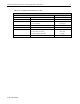
front rack door must be replaced with the High Air Flow Rack Door Insert (See Table 4-1 for the
part numbers).
Before installing a Compaq PDU using a pair of Vertical-Mount PDU Brackets, the support
brackets on a 7000-series rack need to be adjusted. Adjust the center support bracket to be equally
spaced between two PDUs in the rack side panels. The Vertical-Mount PDU Brackets Option Kit
installation guide describes more detailed information on how to adjust the 7000-series rack
center support bracket.