
Compaq ProLiant DL360 Generation 2 Server Setup and Installation Guide

4-8 Compaq ProLiant DL360 Generation 2 Server Setup and Installation Guide
Compaq Confidential – Need to Know Required
Writer: Ed Giblin Project: Compaq ProLiant DL360 Generation 2 Server Setup and Installation Guide Comments:
Part Number: 233832-001 File Name: e-ch4 Server Installation.doc Last Saved On: 8/31/01 11:42 AM
1
3
2
4
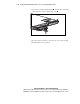
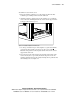
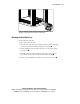
Figure 4-7. Inserting and attaching the fixed cable tray and Velcro cable strap
(rear view)
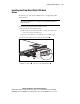
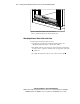
Inserting the Server into the Rack
CAUTION: To avoid destabilizing the rack, install multiple servers starting from
the bottom of the rack.
NOTE: The Compaq ProLiant DL360 G2 server ships with standard factory-mounted
server fixed rails for simplified rack installation.
To insert the server into the rack:
1. Move to the front of the rack.
2. Ensure that the universal rack rails are installed. See “Attaching the
Universal Rack Rails to the Rack” earlier in this chapter.
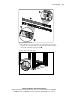
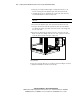
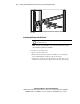
3. Align the rear end of the server fixed rails (on the sides of the server)
with the front end of the fixed rails attached to the universal rack rails.