
Compaq ProLiant DL360 Generation 2 Server Setup and Installation Guide

Server Installation 4-7
Compaq Confidential – Need to Know Required
Writer: Ed Giblin Project: Compaq ProLiant DL360 Generation 2 Server Setup and Installation Guide Comments:
Part Number: 233832-001 File Name: e-ch4 Server Installation.doc Last Saved On: 8/31/01 11:42 AM
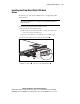
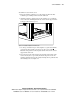
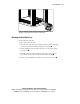
Figure 4-6. Universal rack rails installed in the rack ready for server
installation (rear view) and rail-lock shown in locked position
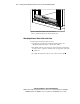
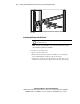
Attaching the Fixed Cable Tray
To attach the fixed cable tray:
1. Move to the rear of the rack.
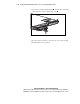
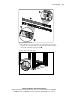
2. Insert the slots on the left edge of the fixed cable tray onto the mounting
spools on the universal rack rail and slide the tray forward
.
3. Turn the thumbscrew in a clockwise direction to secure the fixed cable
tray to the rail
.
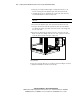
4. Insert the slotted hole in the mounting bracket of the velcro strap onto
the mounting spool on the universal rack rail and slide forward
.
5. Turn the captive thumbscrew clockwise to secure the strap to the rail
.