
Compaq ProLiant DL360 Generation 2 Server Setup and Installation Guide

4-2 Compaq ProLiant DL360 Generation 2 Server Setup and Installation Guide
Compaq Confidential – Need to Know Required
Writer: Ed Giblin Project: Compaq ProLiant DL360 Generation 2 Server Setup and Installation Guide Comments:
Part Number: 233832-001 File Name: e-ch4 Server Installation.doc Last Saved On: 8/31/01 11:42 AM
IMPORTANT: For deploying and configuring multiple ProLiant DL360 G2 servers in a
single rack, consult the multiple server deployment white papers on the Compaq website:
www.compaq.com/products/servers/proliantdl360
Compaq offers an optional installation service to install rack products. See the
“Optional Installation Service” section at the end of Chapter 2, “Planning the
Server Installation.”
Server Installation Procedures
To install a rack mount server into a Compaq rack, complete all of the
following procedures.
CAUTION: When using a Compaq Series 7000 rack, install the new highly
ventilated front door to provide proper front-to-back airflow and cooling.
IMPORTANT: Before beginning the following procedures, refer to the Important Safety
Information guide that shipped with the server.
Measuring with the Template
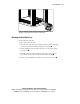
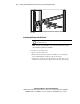
The rack template provides an easy and reliable way to properly position and
mount the universal rack rails.
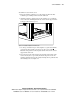
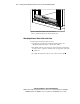
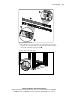
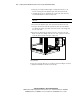
Use the template to identify the correct holes for inserting the alignment pins
on the universal rack rails into the holes of the vertical rack support. Using the
top and bottom edges of the template as a guide mark the rack supports with a
pencil to locate the server position. If more than one server is to be installed
move the template up using the previous marks as a guide.
CAUTION: Install the heaviest item on the bottom of the rack and work from
the bottom to the top.
IMPORTANT: Determine a server’s place in the rack before installing the universal rack
rails. Refer to the Rack Builder report printed during planning phase of the rack
configuration. See Chapter 2 “Planning the Server Installation.”
IMPORTANT: The template is two-sided (front and back) describing and illustrating the
insertion of the universal rails into the rack.