
Compaq ProLiant DL360 Generation 2 Server Setup and Installation Guide

3-34 Compaq ProLiant DL360 Generation 2 Server Setup and Installation Guide
Compaq Confidential – Need to Know Required
Writer: Ed Giblin Project: Compaq ProLiant DL360 Generation 2 Server Setup and Installation Guide Comments:
Part Number: 233832-001 File Name: d-ch3 Installing Hardware Options.doc Last Saved On: 8/31/01 11:44 AM
Installing a Floppy Disk Drive
To install the floppy disk drive:
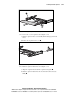
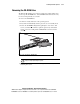
1. Insert the floppy disk drive through the opening in the front panel
.
1
3
2
Figure 3-31. Installing the floppy disk drive
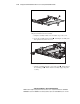
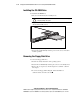
2. Align the connectors on the backplane and the rear of the floppy drive
and push them together
.
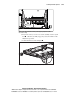
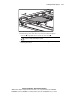
3. Replace the floppy disk locking tab and turn the thumbscrew clockwise
to secure the drive
.
4. Replace the access panel, see “Replacing the Access Panel” earlier in
this chapter.
5. Press the Power On/Standby switch to power on the server and resume
normal operations.
Removing Hot-Plug SCSI Hard Drive
Blanks
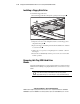
The ProLiant DL360 G2 server ships standard with two hot-plug hard drive
blanks. Before installing a hot-plug SCSI hard drive, remove the necessary
blank.
CAUTION: Always populate drive bays with either a hard drive or drive blank.
Proper airflow can only be maintained when the bays are populated.
Unpopulated drive bays can lead to improper cooling and thermal damage.