
Compaq ProLiant DL360 Generation 2 Server Setup and Installation Guide

3-32 Compaq ProLiant DL360 Generation 2 Server Setup and Installation Guide
Compaq Confidential – Need to Know Required
Writer: Ed Giblin Project: Compaq ProLiant DL360 Generation 2 Server Setup and Installation Guide Comments:
Part Number: 233832-001 File Name: d-ch3 Installing Hardware Options.doc Last Saved On: 8/31/01 11:44 AM
Installing the CD-ROM Drive
To install the CD-ROM drive:
1. The server should already be in standby mode.
CAUTION: Do not operate the server without CD-ROM drive installed. Improper
cooling may damage the system.
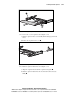
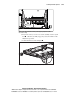
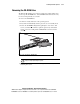
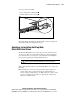
2. Align the CD-ROM drive with the empty bay and slide it into the
chassis until it is fully seated.
Figure 3-29. Aligning and installing the CD-ROM drive
3. Press the Power/On Standby switch to power on the server, and resume
normal operations.
Removing the Floppy Disk Drive
To remove the floppy disk drive:
1. Perform an orderly shut down of the operating system.
2. Press the Power On/Standby switch to place the server in standby mode.
3. Remove the access panel, see “Removing the Access Panel” earlier in
this chapter.
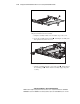
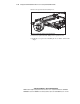
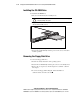
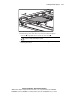
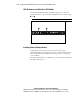
4. To remove the floppy disk locking tab, turn the thumbscrew
counterclockwise and remove the tab
.