
Compaq ProLiant DL360 Generation 2 Server Setup and Installation Guide

Installing Hardware Options 3-31
Compaq Confidential – Need to Know Required
Writer: Ed Giblin Project: Compaq ProLiant DL360 Generation 2 Server Setup and Installation Guide Comments:
Part Number: 233832-001 File Name: d-ch3 Installing Hardware Options.doc Last Saved On: 8/31/01 11:44 AM
Removing the CD-ROM Drive
The ProLiant DL360 G2 server is delivered with a low-profile diskette drive
and a low-profile CD-ROM drive. The CD-ROM and the diskette drive may
be removed independently of each other.
To remove the CD-ROM drive:
1. Perform an orderly shut down of the operating system.
2. Press the Power On/Standby switch to place the server in standby mode.
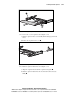
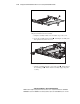
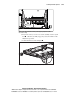
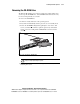
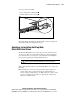
3. Release the CD-ROM locking latch by pushing the center of the ‘dual
action’ eject button
. Continue to push the square body of the button
and the ejection lever will push the CD-ROM drive forward out of the
chassis
.
1
2
Figure 3-28. Removing the CD-ROM drive
CAUTION: Do not operate the server without a CD-ROM drive installed.
Improper cooling may damage the system.
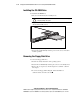
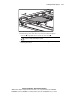
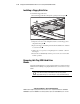
4. Replace the CD-ROM drive, see “Installing the CD-ROM Drive”
following this section.