
Compaq ProLiant DL360 Generation 2 Server Setup and Installation Guide

3-20 Compaq ProLiant DL360 Generation 2 Server Setup and Installation Guide
Compaq Confidential – Need to Know Required
Writer: Ed Giblin Project: Compaq ProLiant DL360 Generation 2 Server Setup and Installation Guide Comments:
Part Number: 233832-001 File Name: d-ch3 Installing Hardware Options.doc Last Saved On: 8/31/01 11:44 AM
The following guidelines must be observed when installing additional
memory:
■ DIMMs installed in the ProLiant DL360 G2 server must be 133-MHz
registered SDRAM, 3.3-volts, 72-bits wide, and ECC.
■ DIMMs must be installed in pairs and must be of the same size.
CAUTION: Use only Compaq DIMMs. DIMMs from other sources are known to
adversely affect data integrity.
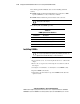
The following table lists DIMM option kits.
Table 3-4
DIMM Option Kit Part Numbers
Part Numbers Description
201692-B21 256-MB (2×128 MB) option kit
201693-B21 512-MB (2×256 MB) option kit
201694-B21 1-GB (2×512 MB) option kit
201695-B21 2-GB (2×1024 MB) option kit
Installing DIMMs
CAUTION: Electrostatic discharge can damage electronic components. Be sure
you are properly grounded before beginning any installation procedure. See
Appendix B, “Electrostatic Discharge,” for more information.
To install a DIMM onto the system board:
1. Power down the server. See “Powering Down the Server” earlier in this
chapter.
2. Remove the access panel. See “Removing the Access Panel” earlier in
this chapter.
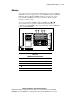
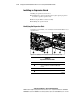
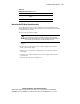
3. Use Figure 3-14 and Table 3-3 to identify the correct DIMM sockets.
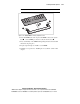
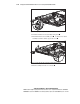
4. Open the DIMM socket latches.
5. Align the key slot in the bottom edge of the DIMM with the tab in the
expansion socket.