
Compaq ProLiant DL360 Generation 2 Server Setup and Installation Guide

Installing Hardware Options 3-7
Compaq Confidential – Need to Know Required
Writer: Ed Giblin Project: Compaq ProLiant DL360 Generation 2 Server Setup and Installation Guide Comments:
Part Number: 233832-001 File Name: d-ch3 Installing Hardware Options.doc Last Saved On: 8/31/01 11:44 AM
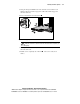
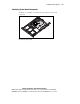
5. Grasp the front panel thumbscrews and extend the server from the rack
until the rail-release latches engage. The cables will remain wrapped in
the fixed cable tray.
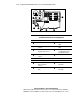
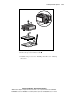
6. Press in and hold the rail-release latches
.
2
1
1
1
Figure 3-5. Disengaging the rail-release latches
WARNING: Avoid personal injury when pressing the rail-release latches and
sliding the server into or out of the rack. The rail-release latches can pinch your
fingertips.
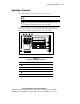
7. Holding the rail-release latches, extend the server until the latches clear
the front of the rack.
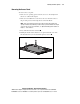
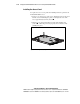
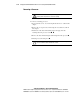
8. Pull the server completely out of the rack
, and set it on a flat, level
surface.