
Compaq ProLiant DL360 Generation 2 Server Setup and Installation Guide
Installing Hardware Options 3-3
Compaq Confidential – Need to Know Required
Writer: Ed Giblin Project: Compaq ProLiant DL360 Generation 2 Server Setup and Installation Guide Comments:
Part Number: 233832-001 File Name: d-ch3 Installing Hardware Options.doc Last Saved On: 8/31/01 11:44 AM
Other Options
The ProLiant DL360 G2 server supports several rack-mounting options. For
more information, see “Optional Rack Deployment Solutions” in Chapter 1,
“Server Features.”
For more information about these options, contact your Compaq authorized
reseller.
Preparing the Server
To prepare the server for installation of hardware options:
■ Power down the server (for servers previously installed and/or
operating)
■ Remove the server from the rack (for servers previously installed and/or
operating)
■ Remove the access panel
■ Identify the system board components
Powering Down the Server
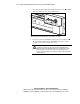
To install most hardware options, all power must be removed from the system.
To power down the server before installing the hardware options:
1. Prior to installing hardware options, back up the server data.
2. Shut down the operating system as directed by the operating system
instructions.