
Compaq ProLiant DL360 Generation 2 Server Setup and Installation Guide
1-4 Compaq ProLiant DL360 Generation 2 Server Setup and Installation Guide
Compaq Confidential – Need to Know Required
Writer: Ed Giblin Project: Compaq ProLiant DL360 Generation 2 Server Setup and Installation Guide Comments:
Part Number: 233832-001 File Name: b-ch1 Server Features.doc Last Saved On: 10/12/01 9:39 AM
Integrated Lights-Out
The primary capabilities of Integrated Lights-Out include:
■ Dedicated LAN network connectivity through the dedicated iLO
Management Port
■ Remote control of the server regardless of the state of the server
operating system (Text only. A graphics console, with full keyboard and
mouse controls, is available as a separate option)
■ Remote cycling of server power to initiate a cold reboot
■ Server reboot from remote media (available as a separate option)
■ Virtual power button to allow remote powering up/down of server
■ Browser support for Internet Explorer
■ Integration with Compaq Insight Manager
TM
Expansion Slots
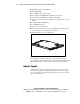
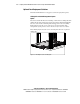
ProLiant DL360 G2 servers provide support for peripheral components. The
PCI riser board assembly has two full-length 64-bit/3.3V/66-MHz PCI
expansion slots.
SCSI Subsystem
ProLiant DL360 G2 servers include a Wide Ultra3 SCSI subsystem with the
following features:
■ One internal SCSI port supporting two internal hot-plug SCSI hard
drives
■ Maximum data transfer of 160 MB/s on SCSI bus