
Compaq ProLiant DL360 Generation 2 Server Setup and Installation Guide

10-6 Compaq ProLiant DL360 Generation 2 Server Setup and Installation Guide
Compaq Confidential – Need to Know Required
Writer: Ed Giblin Project: Compaq ProLiant DL360 Generation 2 Server Setup and Installation Guide Comments:
Part Number: 233832-001 File Name: k-ch10 Troubleshooting.doc Last Saved On: 8/20/01 12:24 PM
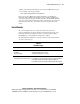
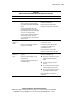
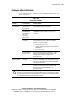
Table 10-4
Is Video available for diagnosis?
Answer Possible
Reasons
The Next Step
Yes Video is available for diagnosis. Determine the next step by observing
Power-On Self-Test (POST) progress and error messages.
Refer to the Compaq Servers Troubleshooting Guide on the
Documentation CD for a complete description of each POST error
message.
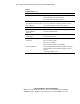
Video may not be
connected
properly.
Verify the video connection on the rear panel of the server. Refer to
“Video Problems” in the Compaq Servers Troubleshooting Guide.
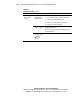
The switches
may not be set
correctly on the
system board.
Verify the switch settings on the system board. See Appendix E for
switch locations, definitions and settings.
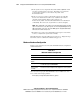
A processor has
failed, or it is not
seated properly.
1. Remove a single processor.
2. Reseat the processor firmly.
3. If this does not solve the problem, replace with a known good
processor to identify the failed component.
4. If a processor failed, verify that the correct heatsink and thermal
pad were installed and always use a new thermal pad when
replacing a processor or heatsink.
NOTE: Run RBSU to reset a processor fail status after reseating or
replacing a processor.
No
A memory
module has
failed, or it is not
seated properly.
1. Reseat the memory module firmly.
2. If this does not solve the problem, replace with a known good
memory module to identify the failed component.
Are there any audible indicators, such as a series of beeps? A series of
audible beeps will indicate the presence of a Power-On Self-Test (POST)
error message. Refer to the Compaq Servers Troubleshooting Guide on
the Documentation CD for a complete description of each beep
sequence, and the corresponding error messages.
Contact your Compaq authorized service representative.