
Compaq ProLiant DL360 Generation 2 Server Setup and Installation Guide
Server Configuration and Utilities 8-11
Compaq Confidential – Need to Know Required
Writer: Ed Giblin Project: Compaq ProLiant DL360 Generation 2 Server Setup and Installation Guide Comments:
Part Number: 233832-001 File Name: i-ch8 Server Configuration Utilities.doc Last Saved On: 9/5/01 2:58 PM
specific configuration needs or for software that cannot be used directly from
the SmartStart CD. Use the SmartStart Diskette Builder to create the following
support diskettes:
■ Array Configuration Utility
■ Operating system support
■ Server utilities
■ Erase utility
■ System and Option ROMPaq
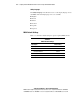
To run the Diskette Builder, the following are required:
■ A PC with one of the following operating systems:
GMicrosoft Windows 95
GMicrosoft Windows 98
GMicrosoft Windows NT
GMicrosoft Windows 2000
■ Several 1.44-MB diskettes
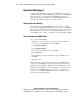
All existing data on the diskettes is overwritten. Insert the SmartStart CD in
the PC drive. The CD automatically runs the Diskette Builder utility.
However, if the PC does not support the “auto-run” feature, use Windows
Explorer and enter the following command line:
[CD-ROM DRIVE]:\DSKBLDR\DSKBLDR.EXE
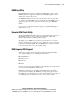
SmartStart Scripting Toolkit
The SmartStart Scripting Toolkit is a set of DOS-based utilities to configure
and deploy servers in a customized, predictable, and unattended manner.
These utilities provide scripted server and array replication for mass server
deployment and duplicate the configuration of a configured source server onto
target systems with minimum user interaction.
The Configuration Replication Utility is a stand-alone DOS utility that
duplicates the settings of an operating RBSU-configured server by saving the
server configuration to a scripted file. Settings can be edited and modified in
the scripted file at the subset level. For example, ASR-2 settings can be
changed without having to change settings for boot controller order.