
Compaq ProLiant DL360 Generation 2 Server Setup and Installation Guide
Server Configuration and Utilities 8-9
Compaq Confidential – Need to Know Required
Writer: Ed Giblin Project: Compaq ProLiant DL360 Generation 2 Server Setup and Installation Guide Comments:
Part Number: 233832-001 File Name: i-ch8 Server Configuration Utilities.doc Last Saved On: 9/5/01 2:58 PM
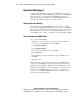
ROMPaq Utility
Flash ROM enables upgrades to the firmware (BIOS) with system or option
ROMPaq utilities. To upgrade the BIOS, insert a ROMPaq diskette into the
diskette drive and boot the system.
The ROMPaq Utility checks the system and provides a choice (if more than
one exists) of available ROM revisions. By default, the oldest ROM version is
updated. This procedure is the same for both system and option ROMPaq
utilities.
If a power loss occurs during a firmware upgrade, redundant ROM support
enables data recovery.
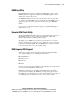
Remote ROM Flash Utility
The Remote ROM Flash Utility enables a user with administrator privileges to
flash ROM remotely on servers running Novell NetWare or Microsoft
Windows NT and Windows 2000 operating systems.
The utility copies a ROM image and driver to the intended server’s system
partition, and changes the system boot order, enabling the server to boot from
the partition and flash the ROM. After the ROM flash is complete, the utility
restores the system boot order to the original settings.
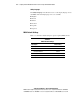
ROM Legacy USB Support
When using operating systems that support USB, the ProLiant DL360 G2
server supports USB devices, including, but not limited to:
■ CD-ROM drives
■ Diskette drives
■ Keyboard
■ Mouse
For other operating systems, the ROM provides USB support for keyboard and
mouse, but not for CD-ROM or diskette drives.
ROM legacy USB support is available during POST, DOS, and while the
operating system is running. The ROM does not support hot-plug events for
the USB keyboard or USB mouse at any time. The maximum device support is
two USB keyboards, two USB mouse devices, and one layer of hubs.