
Compaq Proliant DL360 866- 933-MHz Processors



[Module Title]t
9 of 10
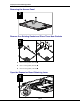
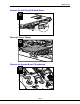
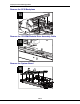
Remove and Replace the Current SCSI VHDCI Connector Grounding
Bracket From the System Board
17
4
4
3
2
1
1
CAUTION: When you complete steps and , do not remove
the black piece of Formex that is under the connector.
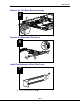
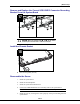
Install the Chassis Gasket
18
n One 0.8-inch gasket (20 mm)
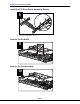
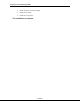
Reassemble the Server
1. Install the system board.
2. Install the SCSI backplane.
3. Install the system board thumbscrew.
4. Connect the CD ROM/diskette drive assembly cable to the system board.
IMPORTANT: Make sure the cable is underneath the metal housing.
5. Install the new fan, ensuring that it seats properly on the pins extending from the
system board.