
HP ProLiant DL360 G6 Server User Guide
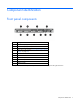
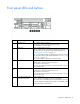
Table Of Contents
- HP ProLiant DL360 G6 Server User Guide
- Abstract
- Notice
- Contents
- Component identification
- Front panel components
- Front panel LEDs and buttons
- Rear panel LEDs and buttons
- System board components
- HP Systems Insight Display LEDs
- Systems Insight Display LED combinations
- SAS and SATA device numbers
- SAS and SATA hard drive LEDs
- SAS and SATA hard drive LED combinations
- Fan modules
- T-10/T-15 Torx screwdriver
- Operations
- Setup
- Hardware options installation
- Introduction
- Processor and fan module option
- Memory options
- Hot-plug SAS and SATA hard drive options
- DVD-ROM and DVD-RW drive option
- Hard drive blackplane option
- Controller options
- Expansion board options
- HP ProLiant DL360 G6 PCI thermal - power option
- HP NC522SFP Dual Port 10GbE Server Adapter option
- Redundant hot-plug power supply option
- HP Trusted Platform Module option
- Cabling
- Software and configuration utilities
- Troubleshooting
- System battery
- Regulatory compliance notices
- Regulatory compliance identification numbers
- Federal Communications Commission notice
- Declaration of conformity for products marked with the FCC logo, United States only
- Modifications
- Cables
- Canadian notice (Avis Canadien)
- European Union regulatory notice
- Disposal of waste equipment by users in private households in the European Union
- Japanese notice
- BSMI notice
- Korean notice
- Chinese notice
- Laser compliance
- Battery replacement notice
- Taiwan battery recycling notice
- Power cord statement for Japan
- Acoustics statement for Germany (Geräuschemission)
- Electrostatic discharge
- Specifications
- Technical support
- Acronyms and abbreviations
- Index
Component identification 8
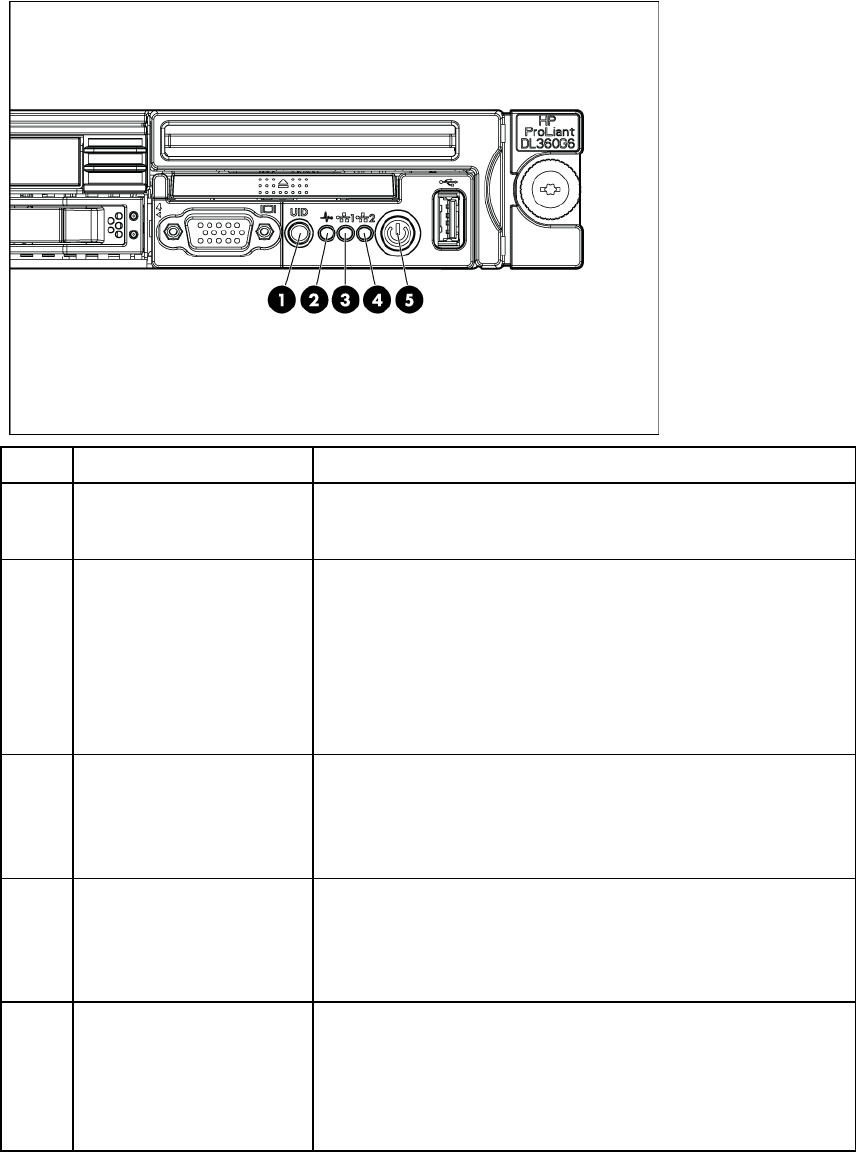
Front panel LEDs and buttons
Item Description Status
1
UID LED/button Blue = Identification is activated.
Flashing blue = System is being managed remotely.
Off = Identification is deactivated.
2
Health LED Green = System health is normal.
Amber = System health is degraded. To
identify the component in a
degraded state, see "HP Systems Insight Display and LEDs ("HP
Systems Insight Display LEDs" on page 13)".
Red = System
health is critical. To identify the component in a critical
state, see "HP Systems Insight Display and LEDs ("
HP Systems Insight
Display LEDs" on page 13)".
Off = System health is normal (when in standby mode).
3
NIC 1 link/activity LED Green = Network link exists.
Flashing green = Network link and activity exist.
Off = No link to network exists.
If power is off, the front panel LED is not active. For status, view the
RJ-45 connector LEDs.
4
NIC 2 link/activity LED Green = Network link exists.
Flashing green = Network link and activity exist.
Off = No link to network exists.
If power is off, the front panel LED is not active. For status, view the
RJ-45 connector LEDs.
5
Power On/Standby button
and system power LED
Green = System is on.
Amber = System is in standby, but power is still applied.
Off = Power cord is not attached, power supply failure has occurred,
no power supplies are installed, facility power is not available, or the
power button cable is disconnected.