
HP ProLiant DL360 G6 Server User Guide

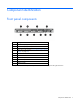
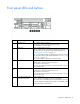
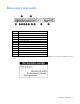
Table Of Contents
- HP ProLiant DL360 G6 Server User Guide
- Abstract
- Notice
- Contents
- Component identification
- Front panel components
- Front panel LEDs and buttons
- Rear panel LEDs and buttons
- System board components
- HP Systems Insight Display LEDs
- Systems Insight Display LED combinations
- SAS and SATA device numbers
- SAS and SATA hard drive LEDs
- SAS and SATA hard drive LED combinations
- Fan modules
- T-10/T-15 Torx screwdriver
- Operations
- Setup
- Hardware options installation
- Introduction
- Processor and fan module option
- Memory options
- Hot-plug SAS and SATA hard drive options
- DVD-ROM and DVD-RW drive option
- Hard drive blackplane option
- Controller options
- Expansion board options
- HP ProLiant DL360 G6 PCI thermal - power option
- HP NC522SFP Dual Port 10GbE Server Adapter option
- Redundant hot-plug power supply option
- HP Trusted Platform Module option
- Cabling
- Software and configuration utilities
- Troubleshooting
- System battery
- Regulatory compliance notices
- Regulatory compliance identification numbers
- Federal Communications Commission notice
- Declaration of conformity for products marked with the FCC logo, United States only
- Modifications
- Cables
- Canadian notice (Avis Canadien)
- European Union regulatory notice
- Disposal of waste equipment by users in private households in the European Union
- Japanese notice
- BSMI notice
- Korean notice
- Chinese notice
- Laser compliance
- Battery replacement notice
- Taiwan battery recycling notice
- Power cord statement for Japan
- Acoustics statement for Germany (Geräuschemission)
- Electrostatic discharge
- Specifications
- Technical support
- Acronyms and abbreviations
- Index

Contents 3
Contents
Component identification ............................................................................................................... 7
Front panel components ................................................................................................................................ 7
Front panel LEDs and buttons ......................................................................................................................... 8
Rear panel components ................................................................................................................................ 9
Rear panel LEDs and buttons ....................................................................................................................... 10
System board components .......................................................................................................................... 11
DIMM slots ...................................................................................................................................... 12
System maintenance switch ............................................................................................................... 12
NMI jumper ..................................................................................................................................... 13
HP Systems Insight Display LEDs .................................................................................................................. 13
Systems Insight Display LED combinations ..................................................................................................... 14
SAS and SATA device numbers ................................................................................................................... 15
SAS and SATA hard drive LEDs ................................................................................................................... 16
SAS and SATA hard drive LED combinations ................................................................................................ 16
Fan modules .............................................................................................................................................. 17
T-10/T-15 Torx screwdriver ......................................................................................................................... 18
Operations................................................................................................................................. 19
Power up the server .................................................................................................................................... 19
Power down the server ............................................................................................................................... 19
Extend the server from the rack .................................................................................................................... 19
Access the HP Systems Insight Display .......................................................................................................... 20
Remove the access panel ............................................................................................................................ 21
Install the access panel ............................................................................................................................... 21
Remove the BBWC battery pack .................................................................................................................. 21
Remove the air baffle .................................................................................................................................. 22
Install the air baffle ..................................................................................................................................... 22
Remove the PCI riser board assembly ........................................................................................................... 23
Install the PCI riser board assembly .............................................................................................................. 24
Setup ......................................................................................................................................... 26
Optional installation services ....................................................................................................................... 26
Rack planning resources ............................................................................................................................. 26
Optimum environment................................................................................................................................. 26
Space and airflow requirements ........................................................................................................ 27
Temperature requirements ................................................................................................................. 27
Power requirements .......................................................................................................................... 28
Electrical grounding requirements ...................................................................................................... 28
Rack warnings ........................................................................................................................................... 28
Contents of the server shipping carton .......................................................................................................... 29
Installing hardware options ......................................................................................................................... 29
Installing the server into the rack .................................................................................................................. 29
Powering up and configuring the server ........................................................................................................ 31
Installing the operating system ..................................................................................................................... 31
Registering the server.................................................................................................................................. 32
Hardware options installation ....................................................................................................... 33