
HP ProLiant DL360 G6 Server MSG

Removal and replacement procedures 45
IMPORTANT: If installing a processor with a faster speed, update the system ROM before
installing the processor.
To remove a processor:
1. Update the system ROM.
Locate and download the latest ROM version from the HP website (http://www.hp.com/support).
Follow the instructions on the website to update the system ROM.
2. Power down the server (on page 23).
3. Extend the server from the rack (on page 24).
4. Remove the access panel ("Access panel" on page 26).
5. Remove the BBWC battery pack, if installed ("BBWC battery pack" on page 35).
6. Remove the air baffle ("Air baffle" on page 36).
7. Remove the heatsink ("Heatsink" on page 43).
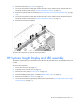
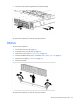
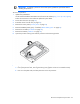
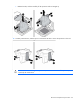
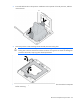
8. Open the processor locking lever and the processor socket retaining bracket.
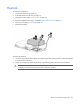
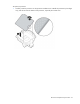
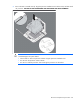
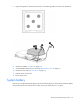
9. Using the processor tool, remove the processor from the system board:
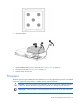
a. Line up the processor tool, ensuring the locking lever graphic on the tool is oriented correctly.
b. Press in on the plastic tabs, and then place the tool on the processor.