
HP ProLiant DL360 G6 Server MSG

Removal and replacement procedures 41
8.
Remove the fan blank ("Fan blank" on page 34).
9. Disconnect the hard drive data cable and the hard drive power cable from the optional hard drive
backplane and the system board ("Hard drive backplane cabling" on page 77).
10. Remove the optional hard drive backplane ("Optional hard drive backplane assembly (top)" on page
40).
11. Disconnect the hard drive data cable and the hard drive power cable from the standard hard drive
backplane and the system board ("Hard drive backplane cabling" on page 77).
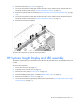
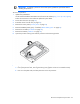
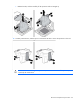
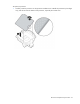
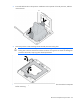
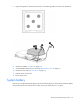
12. Remove the hard drive backplane.
To replace the component, reverse the removal procedure.
HP Systems Insight Display and LED assembly
The Systems Insight Display is an assembly that includes the front panel LEDs, Power On/Standby button, and
a cable.
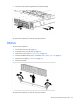
To remove the component:
1. Power down the server (on page 23).
2. Extend the server from the rack (on page 24).
3. Remove the access panel ("Access panel" on page 26).
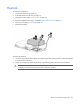
4. Remove the BBWC battery pack, if installed ("BBWC battery pack" on page 35).
5. Remove the air baffle ("Air baffle" on page 36).
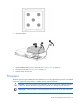
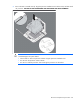
6. Disconnect the Systems Insight Display cable from the system board ("Power button and Systems Insight
Display cabling" on page 79).