
HP ProLiant DL360 Generation 5 Server Maintenance and Service Guide


Component identification 78
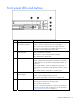
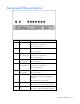
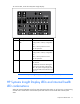
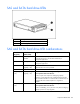
The front panel health LEDs indicate only the current hardware status. In some situations, HP SIM may
report server status differently than the health LEDs because the software tracks more system attributes.
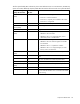
HP Systems Insight
Display LED and color
Internal health
LED color
Status
Processor failure, socket X
(amber)
Red One or more of the following conditions may exist:
• Processor in socket X has failed.
• Processor X is required yet not installed in the socket.
• Processor X is unsupported.
Amber Processor in socket X is in a pre-failure condition.
Processor failure, both
sockets (amber)
Red Processor types are mismatched.
PPM failure (amber) Red Integrated PPM has failed.
FBDIMM failure, slot X
(amber)
Red One or more of the following conditions may exist:
• FBDIMM in slot X has failed.
• FBDIMM in slot X is an unsupported type, and no
valid memory exists in another bank.
Amber One or more of the following conditions may exist:
• FBDIMM in slot X has reached single-bit correctable
error threshold.
• FBDIMM in slot X is in a pre-failure condition.
• FBDIMM in slot X is an unsupported type, but valid
memory exists in another bank.
FBDIMM failure, all slots
(amber)
Red No valid or usable memory is installed in the system.
Overtemperature (amber) Amber The health driver has detected a cautionary temperature
level.
Red The server has detected a critical temperature level.
Riser interlock (amber) Red The PCI riser board assembly is not seated properly.
Online spare memory
(amber)
Amber Bank X failed over to the online spare memory bank.
Fan module (amber) Amber A redundant fan has failed.
Fan module (amber) Red The minimum fan requirements are not being met in one
or more of the fan modules. One or more fans have failed
or are missing.